Was der Editor kann
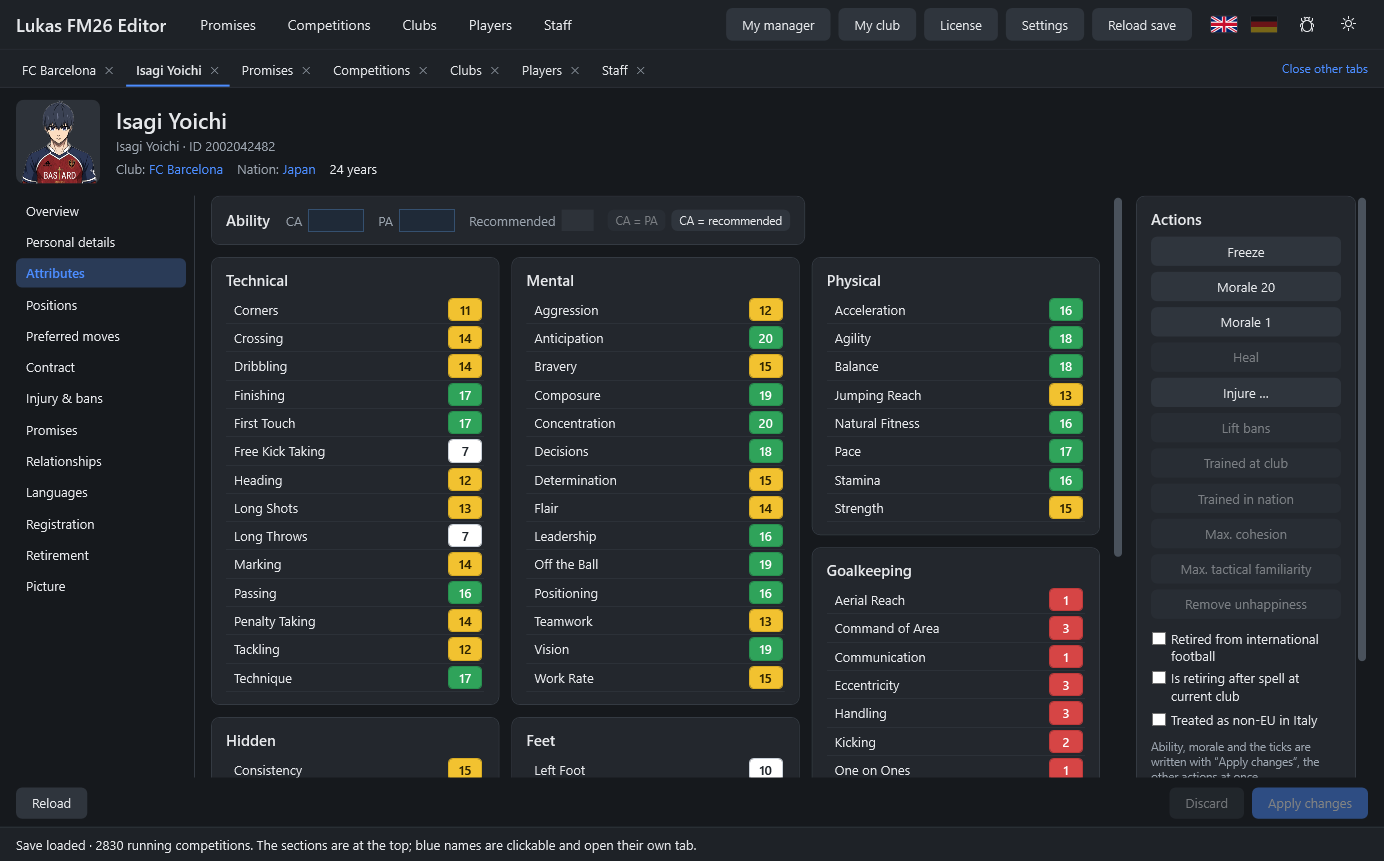
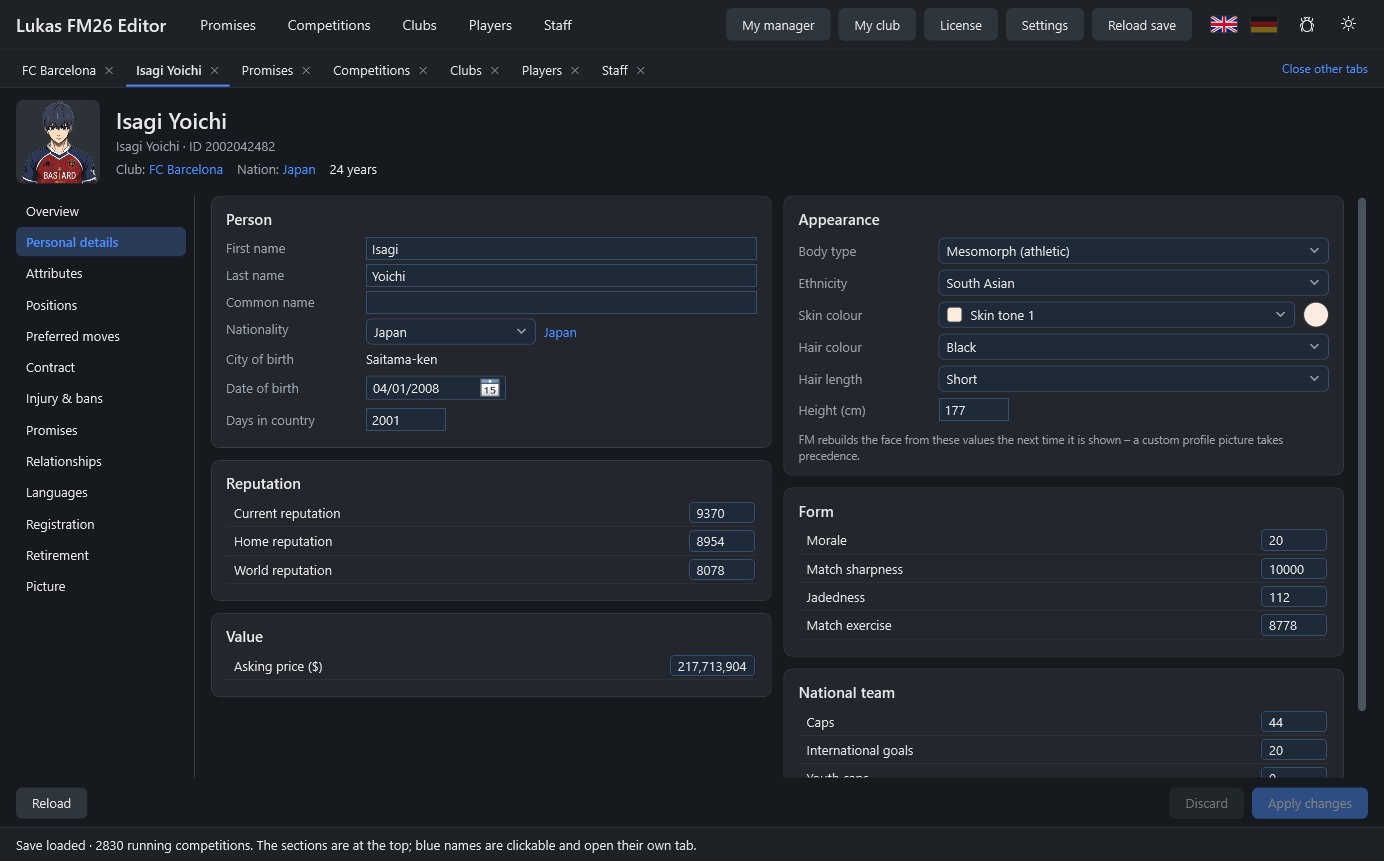
- SpielerAttribute, Positionen, Persönliches, Verträge, Verletzungen, Sperren, Versprechen, Beziehungen, Sprachen.
- MitarbeiterAttribute, Rollen, Länderkenntnis, Formationen und Tendenzen, Trainerlizenz, Vereinswechsel.
- VereineFinanzen, Vorstand und Wahlen, Vision, Trikots, Klauseln, Kader- und Mitarbeiterlisten.
- WettbewerbeRegistrierungsregeln, Spielberechtigung, Tabellen, Auswechselregeln, VAR und Torlinientechnik.
- TransfersSpieler und Mitarbeiter verschieben oder tauschen – auch mehrere auf einmal, mit Ablöse.
- TeamdynamikZusammenhalt und taktische Vertrautheit maximieren, Unzufriedenheit entfernen.
Der Download ist kostenlos. Ohne Lizenz läuft der Editor im Ansichtsmodus – du kannst alles ansehen. Mit Lizenz übernimmst du Änderungen ins Spiel.
So sieht es aus
: Windows 10/11 · Football Manager 26 (Steam) · .NET 10 Desktop Runtime (kostenlos) · Internet einmal zur Aktivierung
Installation
- Zip entpacken (z. B. nach Dokumente\LukasFM26Editor).
- Falls noch nicht vorhanden: die .NET 10 Desktop Runtime installieren.
- Football Manager 26 starten, Spielstand laden, dann LukasFM26Editor.exe starten.
Freischalten
- Mit KontoIm Editor „Lizenz …“ → „Mit Konto anmelden“. Der Browser öffnet sich, du bestätigst – fertig. Die beste Lizenz deines Kontos wird automatisch aktiviert.
- Mit SchlüsselSchlüssel unter „Mein Konto“ kopieren, im Editor „Lizenz …“ → Schlüssel einfügen → „Aktivieren“.
Vor dem Bearbeiten im Spiel speichern. Fehler meldest du direkt aus dem Editor (Käfer-Symbol oben rechts).
Häufige Fragen
Kostet der Editor etwas?
Der Download ist kostenlos, und ohne Lizenz kannst du alles ansehen (Ansichtsmodus). Zum Bearbeiten brauchst du eine Lizenz – während der Beta gibt es kostenlose Beta-Zugänge.
Ist das gefährlich für meinen Spielstand?
Der Editor ändert nur Werte, die FM schon im Speicher hat, und ruft keine Spielfunktionen auf. Trotzdem gilt: vorher speichern, Neues zuerst in einem Test-Spielstand ausprobieren. Funktionen mit „(experimentell)“ sind besonders neu.
Was passiert nach einem FM-Update?
Der Editor kennt die FM-Versionen, mit denen er getestet ist. Bei einer neuen Version warnt er und empfiehlt den Ansichtsmodus, bis ein passendes Editor-Update da ist – der Editor meldet sich dann selbst.
Brauche ich dauerhaft Internet?
Nein. Einmal zum Aktivieren; danach erneuert der Editor die Aktivierung im Hintergrund, wenn du ohnehin online bist (spätestens alle 30 Tage).
Auf wie vielen PCs kann ich ihn nutzen?
Auf bis zu 2 PCs. Einen PC gibst du im Editor („Lizenz entfernen“) oder unter „Mein Konto“ wieder frei.
Windows sagt „Der Computer wurde durch Windows geschützt“.
Das Programm ist (noch) nicht digital signiert. Klick auf „Weitere Informationen“ → „Trotzdem ausführen“.
0.9.0-beta.5 · 28.10.2026
- Update im Programm: Gibt es eine neue Version, lädt „Jetzt aktualisieren“ sie herunter, prüft die Signatur, ersetzt den Editor und startet ihn neu – kein neuer Download von der Website mehr nötig. Einmal noch diese Version von Hand laden, ab dann geht es im Programm.
0.9.0-beta.4 · 28.10.2026
- Preisgeld hinzufügen (experimentell): Bei Wettbewerben lässt sich fehlendes Preisgeld anlegen – für Sieger, Verlierer oder Teilnahme einer Pokalrunde und TV-Geld (fest oder je Übertragung). Wirkt nach Speichern und Neuladen.
- Mehr Preisgelder sichtbar: Pokale wie die Copa del Rey, die ihr Preisgeld anders speichern, zeigen jetzt alle Rundenprämien und lassen sie ändern.
- Wettbewerbsprämien im Vertrag: Prämien für einzelne Wettbewerbe lassen sich zu Spielerverträgen hinzufügen.
- Eigener Trainer: Eigene Editor-Seite für deinen Manager.
- Mitarbeiter: Länderkenntnisse bearbeiten und Länder hinzufügen, Zufriedenheit bei den Attributen, Vertragsklauseln; Verträge ohne Spieler-Felder.
- Vereinsvision: Ziele ändern und wiederherstellen.
0.9.0-beta.3 · 27.10.2026
- Neue Adresse: Aktivierung, Konto-Anmeldung, Fehlermeldungen und Update-Prüfung laufen jetzt über legolukas.com.
0.9.0-beta.2 · 27.10.2026
- Mit Konto anmelden: Im Lizenzfenster mit deinem Website-Konto freischalten – der Browser öffnet sich, du bestätigst den Code, die beste Lizenz deines Kontos wird aktiviert.
- Fehler melden: Das Käfer-Symbol oben rechts und der Link auf dem Startbildschirm öffnen das Meldeformular auf der Website; die Version ist schon eingetragen.
- Update-Hinweis: Liegt auf der Website eine neuere Version, zeigt der Editor das auf dem Startbildschirm und oben in der Leiste.
- Willkommen: Beim ersten Start erscheinen die wichtigsten Hinweise (erst speichern, erst testen, Ansichtsmodus).
0.9.0-beta.1 · 27.10.2026
Erste Beta.
- Spieler, Mitarbeiter, Vereine und Wettbewerbe live bearbeiten – Änderungen erscheinen sofort im Spiel.
- Transfers und Tausch von Spielern und Mitarbeitern, auch mehrere auf einmal; Teamdynamik (Zusammenhalt, Vertrautheit, Unzufriedenheit).
- Online-Aktivierung: Beta-Schlüssel laufen 2 Wochen ab dem Einlösen, auf bis zu 2 PCs. Ohne Lizenz läuft der Editor im Ansichtsmodus.
- Warnung bei einer noch nicht getesteten FM-Version; Absturzprotokolle („Protokolle öffnen“).